
Templates
Online Maintenance Request Form Template: Fill It Out and Export a PDF
This is a ready-to-use maintenance request form template, with fault location, urgency level, and issue description already laid out. People can fill it on their phone, and once submitted it automatically generates a clean PDF with a signature field — easy to file and to dispatch jobs from.
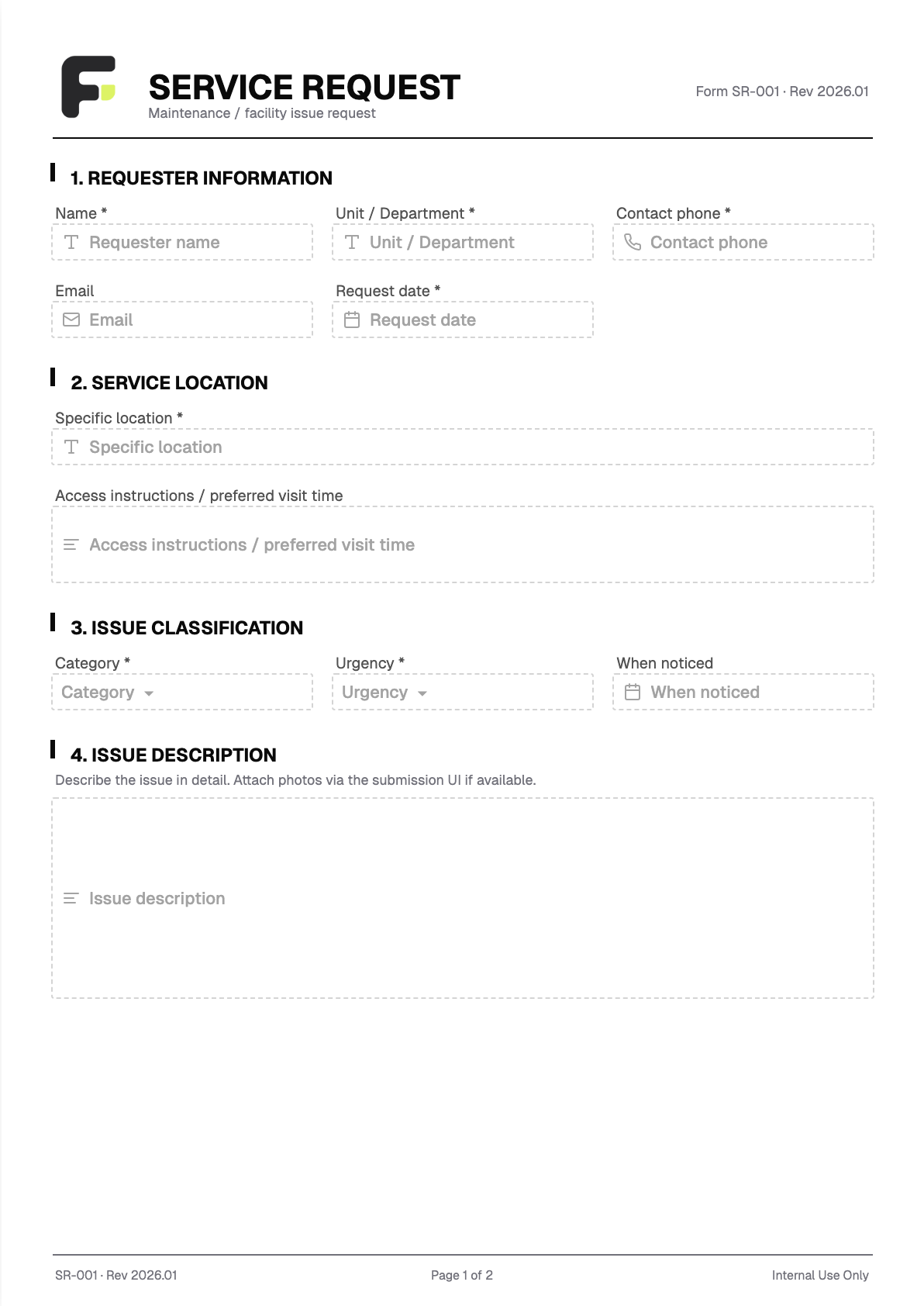
Fields included
- Requester Name * Text
- Unit / Department / Room No. * Text
- Contact Phone * Phone
- Email Email
- Request Date * Date
- Specific Location * Text
- Issue Category * Dropdown
- Urgency Level * Dropdown
- Issue Description * Long text
- Requester Signature (Acceptance) * Signature
Who it is for
Great for property management, residential communities, facility and equipment maintenance, tutoring centers, and clinics — anyone who needs to collect repair requests. Post the link to this online maintenance request system on LINE or your notice board, and residents or staff can fill it out by scanning a QR code. What you get back is a stack of downloadable PDF repair records, so you never have to chase down 'what broke and when it was first noticed' again.
FAQ
Do people need an account to fill out the maintenance request form?
No. Just give them the form link or QR code — they open it and fill it out directly, with no login or account required.
Can the maintenance records be exported?
Yes. Every request can be exported as a PDF for filing, and the full batch of records can be exported to Excel or CSV, making it easy to consolidate and hand off.
Can it be customized to match our own maintenance form format?
Yes. Send us the maintenance form you currently use (paper, Word, Excel, or PDF) and we'll build an online version, adjusting the fields, wording, and layout to fit your needs.